



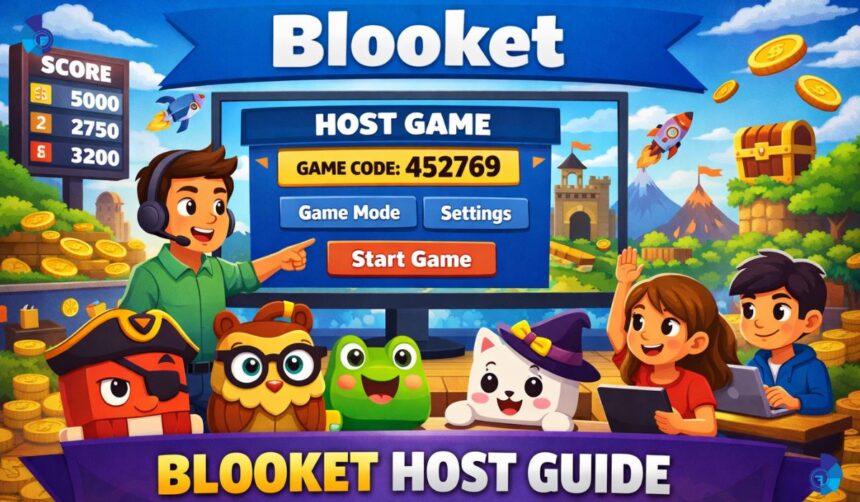
Interactive learning tools have become essential in classrooms around the world, and one platform that consistently stands out is Blooket. Known for its colorful themes and lively gameplay, this digital quiz-based tool makes reviewing material fun for students of any age. At the center of the experience is the hosting feature, a simple yet powerful way for teachers, tutors, and group leaders to bring everyone together in a live game. Understanding how the Blooket Host function works can help you unlock deeper engagement, smoother lessons, and a more enjoyable learning environment. This guide explains how to create, customize, and run games like a seasoned pro, even if you are using the platform for the very first time.
How the Hosting Feature Works
The Blooket hosting tool allows you to lead a live game where players join through a code and answer questions in real time. Unlike traditional quiz platforms, Blooket presents questions in a game-like world, which keeps participants excited as they move through each round. When you host a session, you control the pace, choose the game mode, set the rules, and monitor progress. This structure gives you flexibility whether you are guiding a large classroom, leading a small tutoring session, or hosting a family trivia night. The live format makes the experience feel energetic and collaborative, which is why hosting has become one of the most popular parts of the platform.
Creating a New Game Session
Starting a hosted game begins with selecting a question set. You can build your own custom set or choose from the many public sets available in the library. Once you open the set you want to use, the platform displays a range of game modes. Each mode offers a different style of play, from fast-paced competitions to strategy-based challenges. After choosing the mode, you activate the hosting screen. This is where you configure settings such as time limits, player roles, and content restrictions. As soon as the session goes live, the platform generates a unique join code that players can enter on their devices. This process is quick, which makes it convenient for last-minute lesson adjustments or spontaneous review games.
Customizing Your Game Settings
Customization is one of the key benefits of being a host. Blooket gives you a variety of options to shape the experience according to your specific goals. For example, you can turn on or off features that may distract younger learners or adjust difficulty levels for advanced groups. Some modes allow power-ups or bonuses, while others focus purely on answering questions. You can also set the game to end when a certain score is reached or after a certain amount of time. This control lets you align the game with your lesson plan, whether you want a quick five-minute warm-up or a full-length competitive review session.
Understanding Different Game Modes
Each game mode changes how participants interact with the questions, which means the host’s choices have a direct effect on the level of challenge and excitement. Some modes are designed for speed, requiring players to answer quickly to earn points. Others rely on careful planning or luck, making them perfect for classes that enjoy a more relaxed pace. Because the modes vary widely, hosts often rotate through different types to keep students engaged. The variety also ensures that players with different strengths can shine. Experimenting with multiple modes helps you discover which ones fit your teaching style and your group’s learning preferences.
Managing Players in Real Time
One of the host’s most important roles is monitoring the session as it unfolds. The dashboard displays player names, scores, and activity throughout the game. This view helps you identify who may need help, who is excelling, and whether the group is following the pace you intended. You can pause the game at any time to explain concepts, give instructions, or review answers. Pausing allows you to maintain control even when the energy level rises. If a player enters an inappropriate name or the game becomes off track, the host can remove participants, adjust settings, or restart the session. This structure ensures a safe and respectful environment for everyone.
Encouraging Participation and Fair Play
Because quiz-based games can become competitive, a host plays a big role in keeping the session positive and inclusive. Offering encouragement, celebrating effort, and emphasizing improvement can motivate hesitant learners. Some hosts set simple guidelines before starting, such as focusing on teamwork or practicing honesty when answering questions. You can also use game modes that reduce pressure, especially when working with younger children or students who struggle with confidence. The hosting controls let you adapt on the fly, giving you the ability to create an uplifting atmosphere even during lively gameplay.
Using Blooket for Different Learning Goals
Although Blooket is known for its entertaining design, it is also a flexible instructional tool. Hosts often use it for reviewing lessons, reinforcing vocabulary, preparing for tests, or giving students a break between more demanding tasks. Because hosting sessions can be short or long, you can fit them into any part of your schedule. The platform works well for homework review, morning warm-ups, end-of-day reflections, or themed events. You can also build question sets that support specific learning goals, which helps you turn hosting into a consistent part of your teaching routine. Many instructors find that regular use leads to improved knowledge retention and stronger participation.
Monitoring Results After the Game
Once a session ends, the host can review results and analyze performance. The platform shows how many questions each player answered correctly and how long they took to respond. This information helps you identify patterns and adjust future lessons. For example, if many participants missed the same question, you may want to revisit that topic. If certain players consistently struggle, you can offer more individualized support. Results from hosted games provide valuable insight without requiring extra grading time. This makes it easy to track progress in a fun, low-pressure way.
Tips for Smoother Hosting Sessions
Even simple adjustments can improve the quality of your sessions. Testing the question set beforehand helps you catch errors or unclear phrasing. Checking your internet connection ensures you avoid interruptions once players join. Introducing the rules briefly before starting helps avoid confusion and keeps the pace steady. Some hosts use a warm, encouraging tone to create a relaxed environment. Others add small traditions, like celebrating the final winner or highlighting interesting question moments. The key is finding your own style and adjusting based on the group’s reactions.
Using Blooket Host in Remote or Hybrid Settings
One of the reasons hosting has become so popular is that it works well in remote learning environments. Players can join from home, and the host can share the screen through a video call. This format keeps lessons interactive even when students are not physically together. In hybrid classrooms, hosting allows both in-person and online students to participate at the same time. Because the join process is simple, it does not require technical expertise. You only need to share the join code and monitor the game as you would in a traditional setting. The flexibility makes Blooket a useful tool for teachers navigating different types of learning environments.
Troubleshooting Common Hosting Issues
Occasionally, a game may not run perfectly, but the host has several tools for handling problems. If players cannot join, double-checking the code or restarting the session usually solves the issue. If the game lags, refreshing the page or reducing device load can help. When players experience confusion, pausing the session lets you explain the rules again. If you notice repeated problems with a particular game mode, switching to a simpler one may create a smoother experience. Most technical issues are minor and temporary, and with a little patience, they can be resolved quickly.
Why Hosting Helps Build Community
Beyond its instructional value, hosting games can strengthen classroom or group relationships. Shared laughter, friendly competition, and collaborative energy help participants bond over a shared experience. Even students who rarely speak in class often become more active during game sessions. Hosting creates opportunities for everyone to shine, especially when games involve both knowledge and strategy. The sense of community that develops over time contributes to a positive learning environment and encourages students to participate more fully in regular lessons as well.
Final Thoughts
Hosting games on Blooket is a simple yet powerful way to enrich learning and create memorable experiences. Whether you are new to the platform or refining your approach, understanding how to set up sessions, customize settings, and guide players enhances every game you run. The hosting tool offers the freedom to experiment with different modes, adapt to different learners, and make lessons more interactive. By taking advantage of these features and focusing on meaningful engagement, you can lead games that are not only fun but also effective. As you continue exploring the platform, you will discover your own rhythm and techniques that transform ordinary lessons into lively, dynamic sessions.
Frequently Asked Questions
1. What does it mean to be a host on the platform?
Being a host means you control the live game session. You choose the question set, select the mode, manage player access, and guide the flow of the activity. Players join using a code, and the host monitors the entire session from start to finish.
2. Do players need accounts to join a hosted game?
Players do not need accounts to participate. They only need the join code generated when the host starts a session. This makes it easy for students or groups to join without creating logins.
3. Can I customize the settings before the game starts?
Yes, the hosting screen includes several customization options. You can adjust time limits, turn certain features on or off, choose difficulty levels, and set rules that match your learning goals or teaching style.
4. Which game mode is best for beginners?
Modes that emphasize straightforward answering with fewer extra mechanics tend to work best for new players. They allow participants to learn the format without feeling overwhelmed by too many features at once.
5. Can I pause a hosted game?
Yes, the host can pause at any time. This is helpful when you want to explain concepts, review answers, clarify rules, or regroup the class before continuing the session.
6. How can I use the results after a game?
The platform provides detailed performance information, including correct answers and response patterns. Hosts can use these results to adjust lesson plans, identify areas for improvement, and recognize progress.
7. Is hosting suitable for remote learning environments?
Hosting works very well in remote settings. You can share your screen during a video call, and participants can join from any device. This makes the tool useful for virtual classrooms, hybrid groups, and at-home learning sessions.
For More: fogmagazine.co.uk